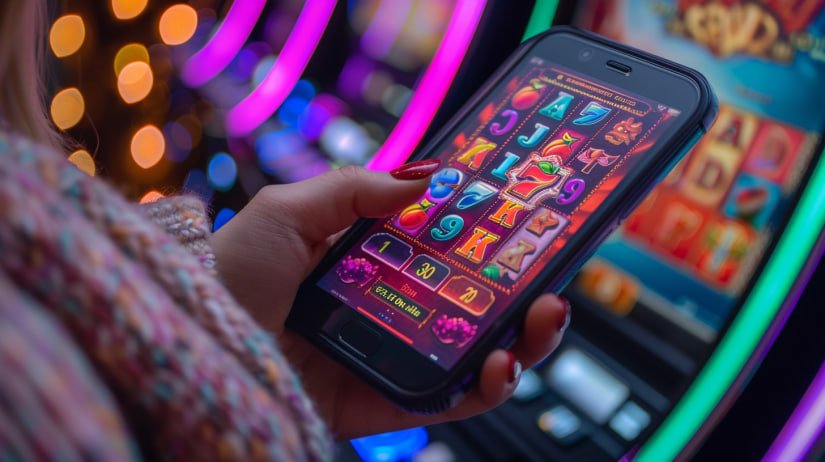
Download the tr999 app on your phone and enjoy slots, Live Casino, fish games, and much more. Completely free to download and installs in just minutes.
Android or iOS — tr999 runs great on any smartphone
Enable "Unknown Sources" before installing
Add to Home Screen via Safari
Install the tr999 APK in just five steps
Tap the "Android APK Download" button above. The file will be saved to your phone's Downloads folder.
Go to Settings → Security or Privacy → enable "Install unknown apps" or "Unknown sources". This allows apps to be installed from outside the Google Play Store.
Open the tr999 APK file from your File Manager or download notification. An installation prompt will appear.
Tap "Install" when prompted. Installation will take 30–60 seconds to complete.
Once installation is complete, tap "Open" or tap the tr999 icon on your home screen. Log in to your account and start playing right away.
What your phone needs to run the tr999 app
| Subject | Minimum | Recommended |
|---|---|---|
| OS Version | Android 6.0 | Android 10+ |
| RAM | 2 GB | 4 GB+ |
| Storage | 100 MB free | 500 MB+ free |
| Processor | Quad-core 1.4 GHz | Octa-core 2.0 GHz+ |
| Internet | 3G | 4G / Wi-Fi |
| Display | 720p HD | 1080p FHD+ |
Add tr999 to your iPhone or iPad in just a few steps
Open Safari on your iPhone or iPad. This process does not work with Chrome or any other browser, so make sure you use Safari.
Type tr999.win in Safari and let the website fully load.
Tap the Share icon at the bottom center of your screen (the arrow pointing up from a box).
Scroll down to find the "Add to Home Screen" option and tap it. Confirm the name, then tap the "Add" button.
The tr999 icon will now appear on your iPhone's home screen. Tap it and tr999 will open in full screen, just like a native app.
Check if your Apple device is ready for tr999
| Subject | Description |
|---|---|
| IOS Version | IOS 13.0 or above |
| Supported Devices | IPhone 8 or later |
| IPad | IPad Air 2 or later |
| Storage | At least 150 MB free |
| Display | Retina and Super Retina displays supported |
| Internet | 4G / 5G / Wi-Fi |
Keep these tips in mind for the best experience using the tr999 app
Using Wi-Fi when downloading the APK will speed up the download and save your mobile data.
It's best to have at least 30% battery during installation to ensure the process completes without interruption.
Install tr999 app updates as soon as they're available. Updates bring new games, bug fixes, and performance improvements.
Only download the tr999 APK from this official website. Downloading from third-party sites may put your device's security at risk.
For a smoother installation, uninstall the old tr999 app before installing the new version.
If you run into any issues downloading or installing, tr999's Bengali-speaking support team is available seven days a week to help.
Many people wonder whether downloading a third-party APK file is safe. The answer is: downloading from the tr999 official website is completely safe. The tr999 team runs a virus scan and security audit before every APK release to ensure the file is free of malware. The app also uses SSL encryption to keep your login credentials and personal data protected.
One important thing to keep in mind: only download from tr999.win. Do not download any APK under the tr999 name from other websites or Telegram groups — they may be fake and could harm your device.
Some users occasionally report that downloads won't start or stop midway. There are a few common causes and fixes. First, check your internet connection — a weak signal can interrupt large file downloads. Second, clear your browser cache and try again. Third, make sure your phone has enough free storage space.
If the problem persists after all attempts, reach out via tr999's support chat. Our technical team can get you sorted quickly.
When you download the tr999 app and create a new account, you'll receive a special welcome bonus to get started with right away. New users also benefit from a smooth onboarding experience — every step from registration to your first game is clearly guided.
Many users play directly at tr999.win in their browser, which works perfectly fine. However, downloading the app comes with a few extra benefits. Games load faster in the app since some resources are cached locally. You'll also receive push notifications for special offers and tournament updates. On top of that, the app supports biometric login, so you never have to type your password again.
The biggest difference is smoother navigation in the app. Browsers can sometimes refresh and lose your session, but the app doesn't have that problem.
The tr999 app is updated regularly. Android users will receive update notifications directly within the app — just tap "Update" and the new APK will download and install automatically. It's that simple. For iOS users, the Safari PWA loads the latest version automatically, so no extra steps are needed.
The tr999 app includes a "What's New" section that details every update — new games, features, and bug fixes all in one place.

Your personal information and financial details are kept fully secure while you download and use the tr999 app. We never share your data with third parties. Our Privacy Policy Read or Responsible Gaming View guidelines.
The most frequently asked questions about tr999 downloads
Android or iOS — install tr999 on any device and dive into a world of thousands of games.